Show & Planning Calendar

Put every show, clinic, and trip on one calendar your barn staff can see. Then add the prep to each one as tasks, so the trailer gets packed and the Coggins gets checked before you leave.

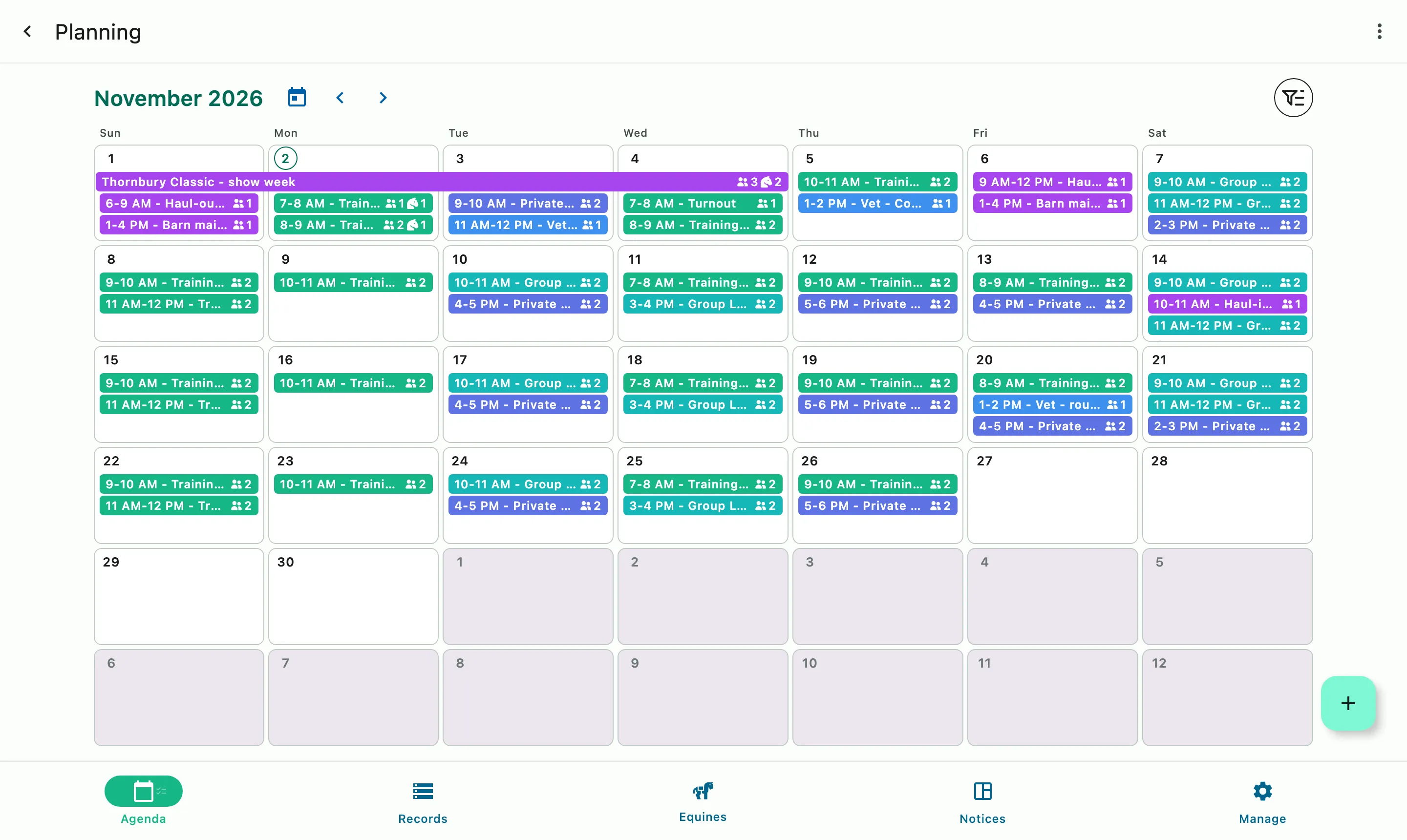
The monthly planning calendar: lessons, rides, and visits across the month, with the show week across its days

How it works

Plan the month, then the prep

Plan it on the calendar

Every show, clinic, and trip goes on the calendar with its dates and details.

Add who's going

Each event can list the people and horses going.

Attach the event prep as tasks

Add the prep to each event as tasks and notes so everyone on staff knows what's needed before the trailer is loaded.

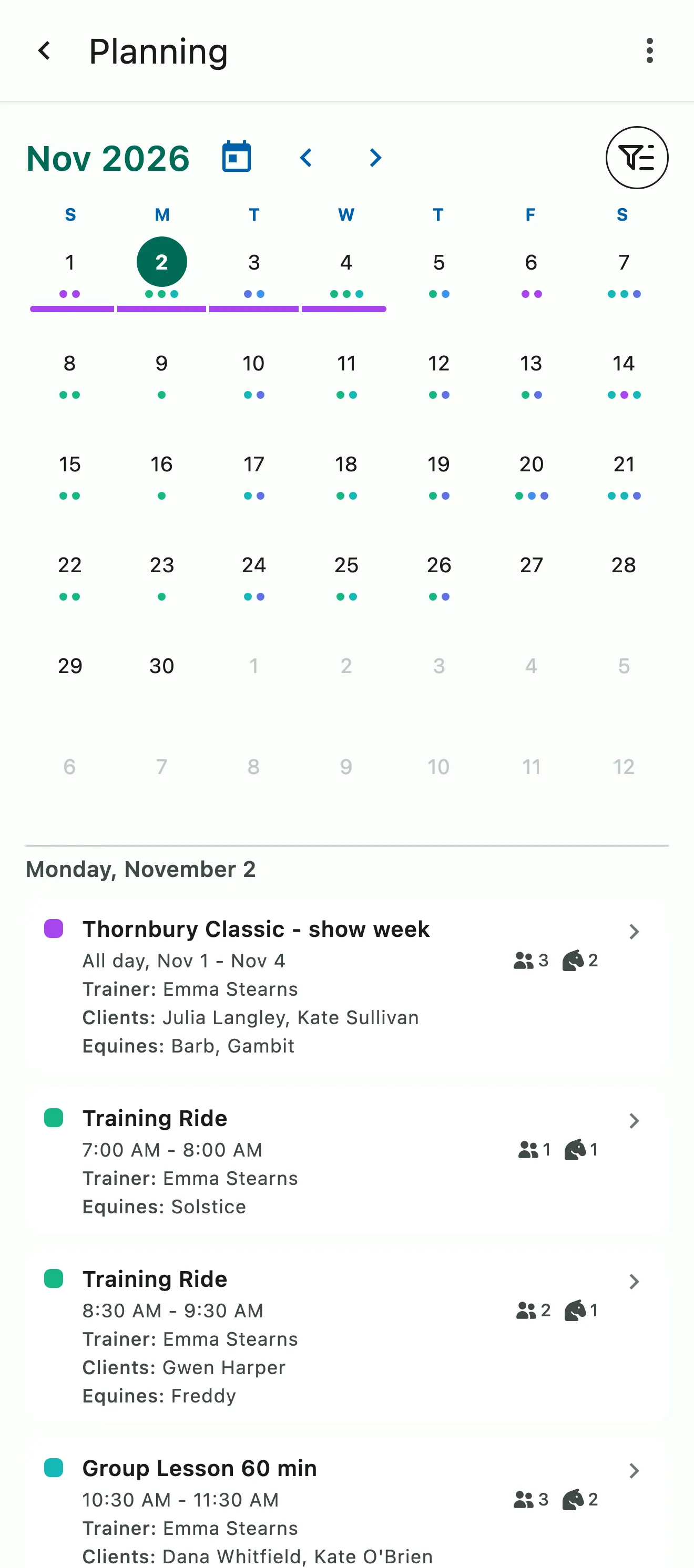
The monthly planning calendar, with the selected day's show week, rides, and lessons listed below

The month at a glance

The whole month on one screen

See a busy month coming before it arrives. Shows, clinics, and trips sit side by side on one calendar, and you can turn on booked events when you want the full picture. On your phone, fold the month down to a single week and keep the day's list underneath.

  • A single-week view on your phone
  • Pick the event type that fits, like Competition or Clinic
  • Booked events shown when you want them
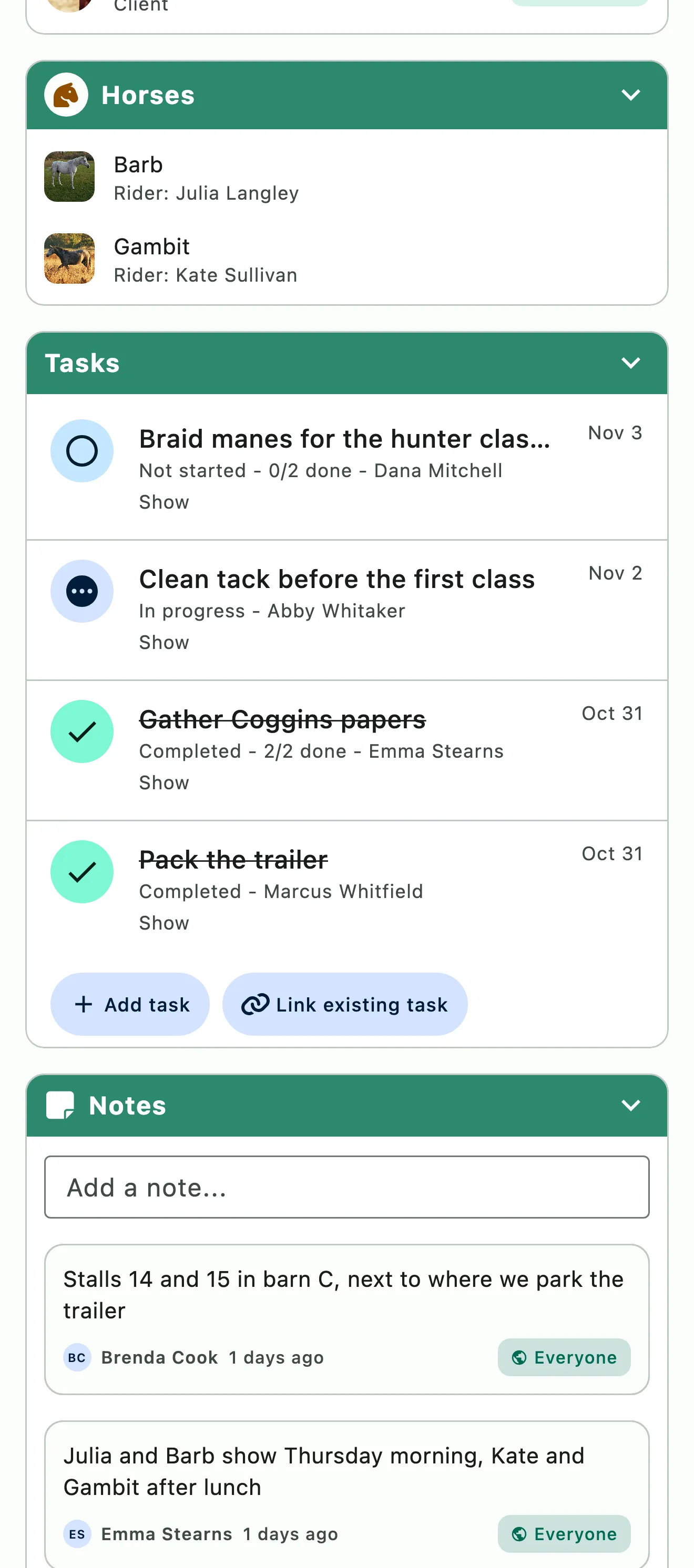
A show week with the people and horses going and its prep tasks

Show prep

Every show prepped, nothing slipping through the cracks

Getting ready for a show takes a lot of small jobs. Attach each one to the show as a task, like booking the vet for health certificates or making sure every Coggins is current. Give a task a due date before the show, and it moves on its own if the show does. Each task can list the horses it covers and break into subtasks.

  • Tasks linked to the show, with subtasks
  • Each task names the horses it's for
  • Notes on the event, shared with only the people who need them
  • Due dates that move if the show moves
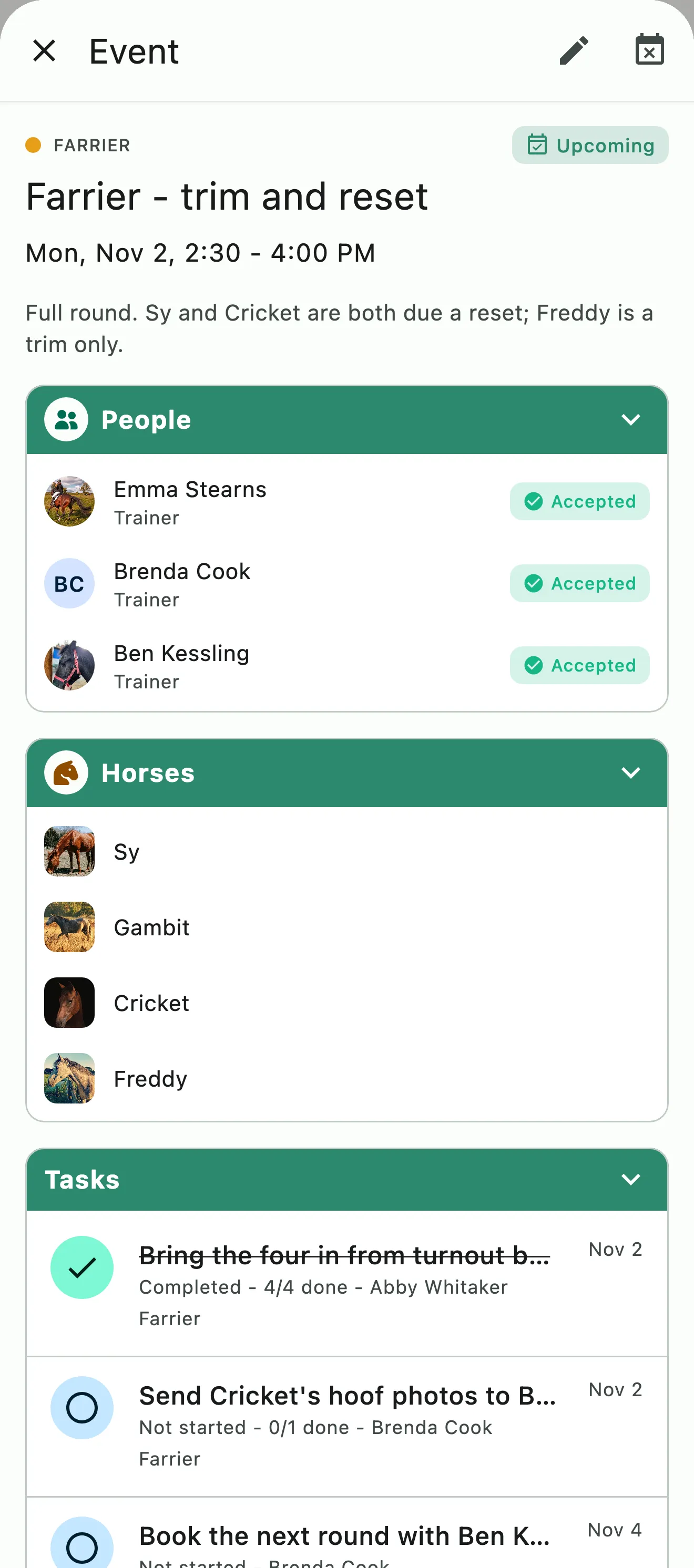
A farrier visit with the people and horses on it and its tasks

Who's going

Everyone going, horses included

The event is the list. Add the riders, trainers, and horses going, or quick add a predefined team or group. The question of who's heading out is answered before anyone has to ask. Filter the calendar by horse or person to see their whole season in one view.

  • People and horses on every event
  • Confirm or decline attendance
  • Filter by event type, person, horse, etc.

Common questions

About show planning

If a show's dates change, what happens to the linked tasks?

If a task is set to follow the show, its due date moves with it. Open the task's Due behavior and choose Follow, then set how many days before the show starts it's due. If the show moves, the task moves too. If the show is cancelled, the due date stays where it was. Choose Independent due to keep a fixed date.

Can I see one horse's or rider's whole show season?

Yes. On the planning calendar, open Filter and pick the horse under Equines or the person under Members. You can also narrow by event type or by your response to an event. Your filters are saved to your account, so they follow you to every device.

Who can see the notes on an event?

The person who writes a note decides. Each note on an event can be set to Everyone, Staff only, or Just me, so it reaches only the people who need it. Which of those options you see depends on your role.

Will lessons and other booked events clutter the planning calendar?

No. The planning calendar shows your planned events, like shows and clinics, and leaves booked events off until you want them. To see lessons alongside everything else, open Filter and turn on Include predefined events. Cancelled events stay hidden too, unless you turn on Show cancelled events.

See the full FAQ

Put next month's shows on the calendar tonight.

No card required. Available on Apple iOS, Android and Web.